Elevra is something we’ve been building at StraitsTec. You give it your CV and a job listing, and it tells you how well they fit, which of the job’s requirements your CV actually backs up, and what you could change to close the gap. It’s live at elevra.straitstec.my, and a browser extension that does the same thing right on the job listing is on its way.
The backend isn’t open source, so this write-up stays on what it does and how it’s put together rather than the nitty-gritty of the scoring.
From recruiters to job seekers
Elevra started life as an ATS (applicant tracking system) for recruiters: paste a job description, drop in a pile of resumes, and get them ranked with a score and an explanation for each one. I worked on that side too, things like a side-by-side compare view for up to 3 candidates, a shortlist, and the deploy pipeline.
But the more we used it, the more it felt like the person who actually needs the feedback is the one applying. A recruiter just wants a ranking, a job seeker wants to know why they’d be ranked low and what to fix. So the website is now one CV against one job, with suggestions.
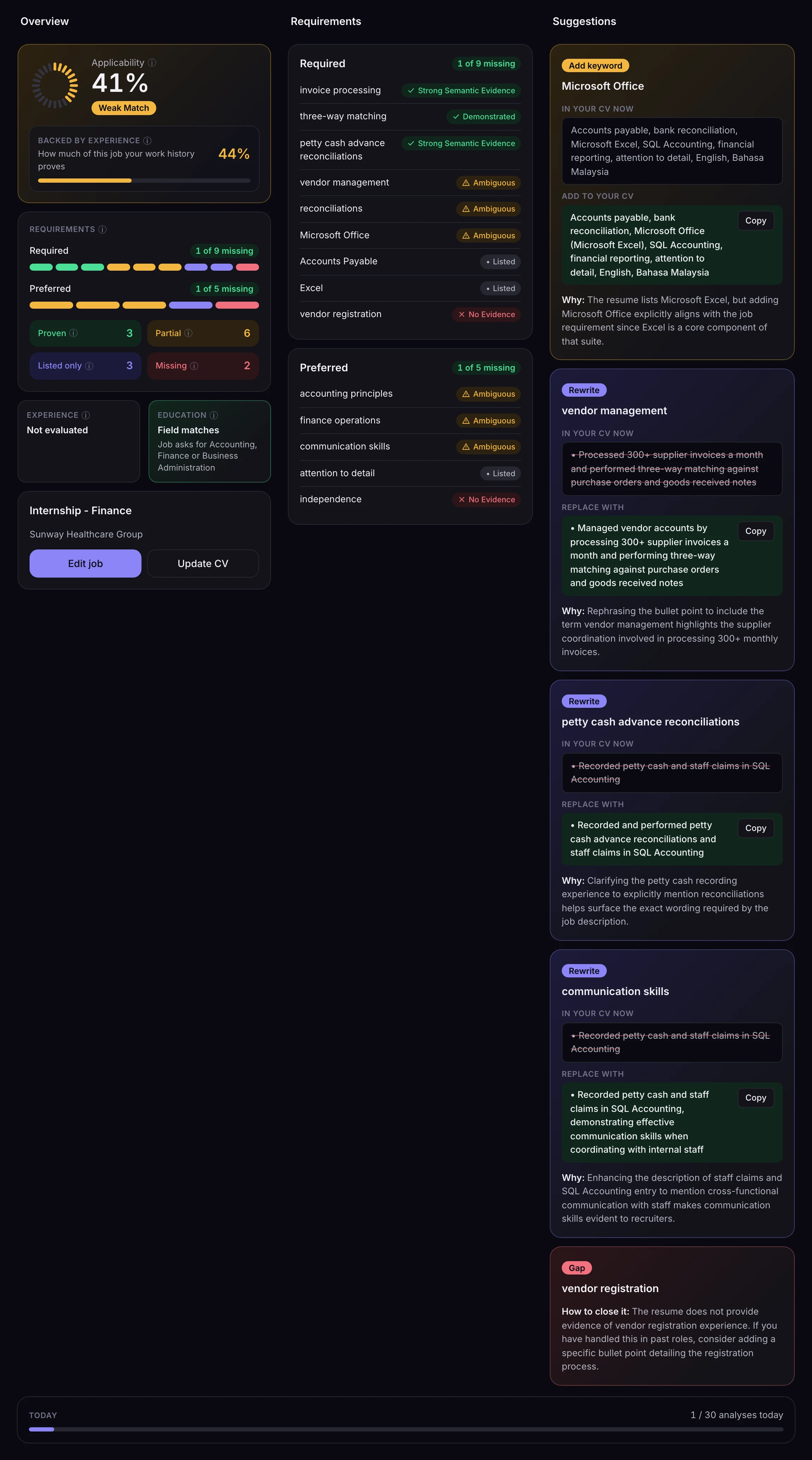
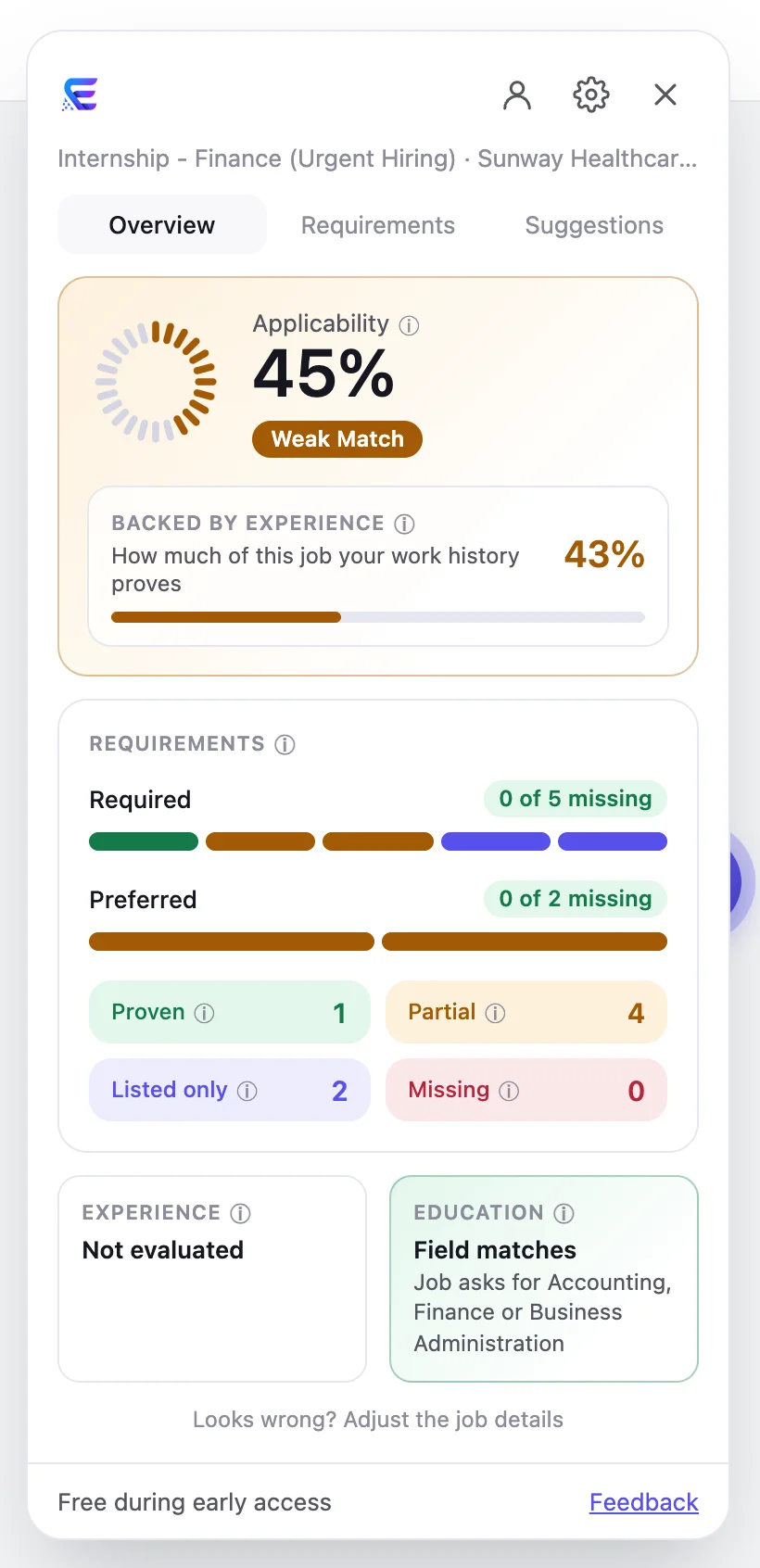
Every requirement in the job ends up in one of a few buckets:
- Proven, your work history actually shows it, not just the skills list.
- Partial or Ambiguous, there's something related, but it's not convincing on its own.
- Listed only, it's in your skills section but nothing in your experience backs it up.
- Missing, no evidence anywhere.
That “listed only” bucket is my favourite, because it’s exactly what a human recruiter would catch and a keyword-matching ATS wouldn’t.
AI reads the job description and writes the suggestions, but it never decides a score or a status, those come from the matching engine. And if a suggestion quotes a line from your CV, that quote is checked against your actual CV and thrown out if it isn’t there. So it can’t invent experience you don’t have.
🕵️🕵️🕵️
But what about my personal details?!
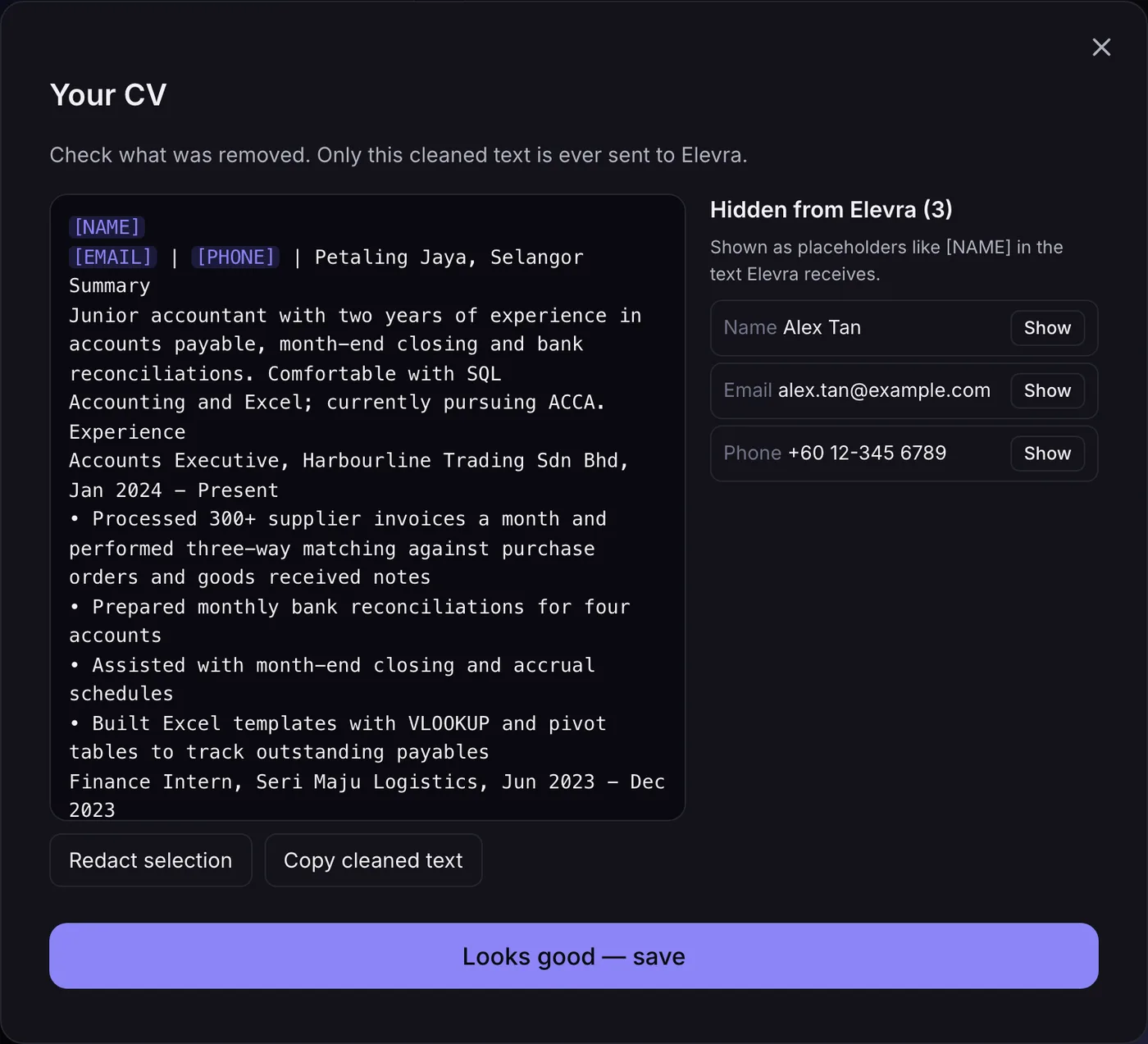
This was the part we spent the most time on. A CV is full of personal information, and we didn’t want any of it leaving the user’s browser. So the PDF is read in the browser, and before anything is sent, Elevra strips out names, emails, phone numbers, IC/passport numbers, addresses, dates of birth and links, replacing them with placeholders like [NAME].
You then get to review exactly what will be sent, put anything back that was removed by mistake, or highlight something else to hide. The server only ever sees the cleaned text, and it never keeps the CV around.
Getting text out of a PDF reliably was its own little adventure. Lots of CV templates draw their bullet points as tiny vector squares or icon-font glyphs instead of actual characters, so a naive extractor gives you one giant run-on paragraph. The browser parser detects those drawn shapes and turns them back into proper bullets, and a parity check keeps its output in line with the server-side parser we used before.
The browser extension
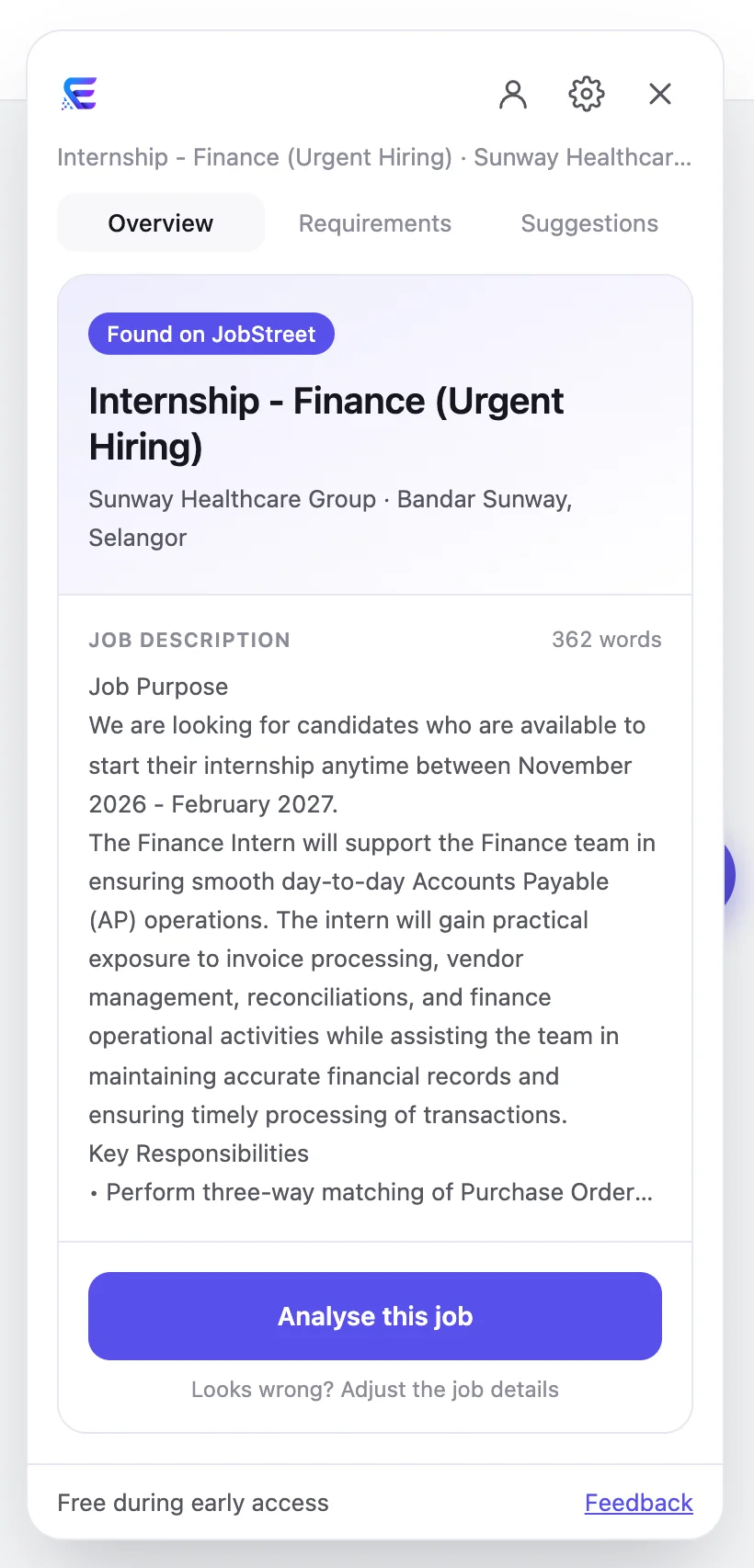
Copy-pasting job descriptions gets old fast, so the extension brings Elevra onto the listing itself. It works on JobStreet, LinkedIn, Hiredly and Indeed. On a job page a small Elevra button shows up on the side, and clicking it opens a panel that has already read the title, company and full description off the page.
Some things that made the extension trickier than the website:
- Every site is different. JobStreet tags its elements nicely, LinkedIn has completely different markup depending on whether you're logged in, and Indeed opens jobs in a side pane where the URL changes but the old job can still be on screen for a moment. Each site gets its own extractor, built and tested against saved copies of real listings.
- The page shouldn't be able to touch Elevra, and vice versa. The panel lives in its own shadow DOM so the job site's CSS can't break it, and the CV upload and cleaning happen in an extension page embedded in the panel, so the CV never touches the job site's page at all.
- Accounts. Unlike the website, the extension has sign-in, with a one-time code sent by email so there are no passwords to manage.
Running it
Elevra runs on our own server rather than a cloud platform. The app sits behind Caddy and is exposed through a Cloudflare Tunnel, so the server has no open inbound ports. Pushing to the deploy branch builds the frontend on GitHub Actions and then a self-hosted runner on the server picks it up, swaps in the new version, restarts the service and health-checks it. Changes that only touch the extension or the docs skip the deploy entirely.
The extension is heading to Firefox first, then Chrome. If you want to try Elevra in the meantime, the website is free to use, no account needed.